Unterstützt das G1 Gateway die Massenkonfiguration? Sind die Einstellungen die gleichen wie in der Weboberfläche?
Ja. Nutzen Sie den Minew Gateway-Konfigurationsassistenten. Er spiegelt die Einstellungen der Weboberfläche wider und ermöglicht es Ihnen, diese gleichzeitig auf mehrere Gateways anzuwenden. Für eine detaillierte Anleitung wenden Sie sich bitte an unser Vertriebsteam.
Wie genau ist das Scannen des G1-Gateways und wie viele Tags kann es verarbeiten? Kann es beispielsweise 1.000 Tags in einem Raum innerhalb von 5–10 Minuten präzise scannen und hochladen?
Die Scanleistung des G1 hängt von der Sendeleistung und dem Intervall der Tags ab – höhere Einstellungen verbessern die Erkennung, erhöhen aber den Stromverbrauch. Unter optimalen Bedingungen können alle Tags gescannt werden. Bei vielen BLE-Tags kann es aufgrund von Kanalüberlastung zu zufälligen Paketverlusten kommen. Diese lassen sich durch Anpassen von Kanälen, Intervallen und Filtern minimieren.
Welches Netzwerk wird beim G1-E-Gateway standardmäßig verwendet, wenn sowohl Ethernet als auch WLAN verfügbar sind? Kann es automatisch zwischen den beiden Netzwerken wechseln, um die Verbindung aufrechtzuerhalten?
Das G1-E-Gateway unterstützt nicht die gleichzeitige Nutzung von Ethernet und WLAN. Es kann immer nur eine der beiden Verbindungen aktiv sein. Bei der Nutzung von WLAN unterstützt es jedoch ein Failover zwischen verschiedenen WLAN-Netzwerken, sofern deren Passwörter vorkonfiguriert sind.
Warum gibt das G1-E den Fehlercode 671 aus, wenn versucht wird, historische Temperaturdaten von einem MST03-Gerät abzurufen?
Fehlercode 671 bedeutet, dass das Gateway keine Verbindung zum Gerät herstellen kann. Dies kann verschiedene Ursachen haben:
(1) Der MST03 ist zu weit vom G1-E entfernt, daher schlägt die Verbindung fehl.
(2) Auf dem MST03 sind zu viele historische Temperaturdaten gespeichert, was dazu führen kann, dass die Verbindung abbricht, wenn das Gateway versucht, die Daten abzurufen.
(3) Der über MQTT gesendete Befehl enthält ein falsches Passwort oder die falsche MAC-Adresse.
Ist beim Upgrade vom alten G1-Gateway auf das G1-E-Grapes-Gateway eine Überarbeitung der Datenprotokollkompatibilität erforderlich?
Kunden, die bereits das alte G1-Gateway integriert haben, können das G1-E-grapes-Gateway problemlos einbinden, da es dieselben Datenformate (binär, JSON-LONG, JSON-SHORT) unterstützt. Wir empfehlen jedoch, die Dokumentation zur Datenanalyse des neuen Gateways zu konsultieren, um sich über die hilfreichen neuen Funktionen zu informieren. Neukunden und Nutzern, die ein Update durchführen, bieten wir das JSON-PREPARSED-Format an, das eine bessere Kompatibilität und einfachere Konfiguration mit unseren neuesten Geräten gewährleistet.
Welches Meldeprotokoll wird für das G1-E-Trauben-Gateway empfohlen?
JSON ist das am weitesten verbreitete Protokoll für unser G1-Gateway. Unter den verfügbaren JSON-Formaten wird JSON-PREPARSED aufgrund seiner unübertroffenen Kompatibilität mit der Broadcast-Frame-Analyse und der äußerst intuitiven Konfigurationsmöglichkeiten dringend empfohlen.
Gibt der Zeitstempel in den Rohdaten der vom Gateway auf den Server hochgeladenen Beacons den Zeitpunkt der Beacon-Erkennung durch das Gateway oder den Zeitpunkt des Daten-Uploads an?
Der Zeitstempel gibt den genauen Zeitpunkt an, zu dem das Gateway das Beacon-Signal erkannt hat. Dadurch lässt sich anhand des Zeitstempels feststellen, wann und wo ein Bluetooth-Gerät zu einem bestimmten Zeitpunkt aufgetaucht ist.
Kann die BLE-Konnektivitätsfunktion des G1-E-Grapes Gateways eine Verbindung zu Smartphones herstellen?
Die BLE-Funktion des Gateways dient der Konfiguration und Datenerfassung von Beacons/Sensoren und ist nicht für die Interaktion mit Mobiltelefonen verfügbar. Obwohl die Smartphone-Konnektivität derzeit nicht unterstützt wird, freuen wir uns über Gespräche zu kundenspezifischen Lösungen für spezielle Anwendungsfälle.
Kann das G1-Gateway Daten auf einen lokalen Server hochladen?
Ja, das ist möglich. Server und Gateway müssen sich im selben lokalen Netzwerk befinden und korrekt konfiguriert sein. Wenn Sie beispielsweise einen Server auf einem PC einrichten, ist die IP-Adresse des Servers die statische IP-Adresse der Netzwerkschnittstelle des Computers. Es wird empfohlen, die statische IP-Adresse des Gateways und die Netzwerkschnittstelle des Computers im selben Netzwerksegment zu konfigurieren.
Wie lässt sich das Problem des hängenden TCP-Pakets beim G1-Gateway lösen?
Dies erfordert, dass der Kunde den JSON-Inhalt anhand des spezifischen Formats extrahiert. Falls es sich noch nicht um ein vollständiges JSON-Format handelt, muss der Abruf fortgesetzt werden.
Unterstützt das G1-E-Gateway die Fernkonfiguration von Batch-Konfigurationen über das Netzwerk?
Ja, unser Gateway unterstützt den Empfang und die Ausführung vordefinierter Befehle. Zusätzlich haben wir zwei Tools zur Batch-Konfiguration des Gateways über einen MQTT-Server und ein lokales Netzwerk entwickelt, die beide für unsere Kunden verfügbar sind.
Warum können Sie nicht auf die Konfigurationsseite 192.168.99.1 von G1-E zugreifen?
Das liegt wahrscheinlich daran, dass Sie bereits ein Passwort festgelegt haben und Ihr Browser die alten Anmeldeinformationen zwischengespeichert hat. Bitte leeren Sie den Browser-Cache und melden Sie sich dann erneut an.
Wie können mehrere Gateways Befehle in großen Mengen senden und empfangen?
Sie können folgendes Format für die Themen verwenden: /gw/grapes/status, /gw/grapes/action, /gw/ac233fc1772b/response. Wenn ein Befehl in einem Thema veröffentlicht wird, führen ihn alle Gateways gleichzeitig aus. Die Antwort kann anhand des Themas unterschieden werden, um festzustellen, welches Gateway die Informationen zurückgibt.
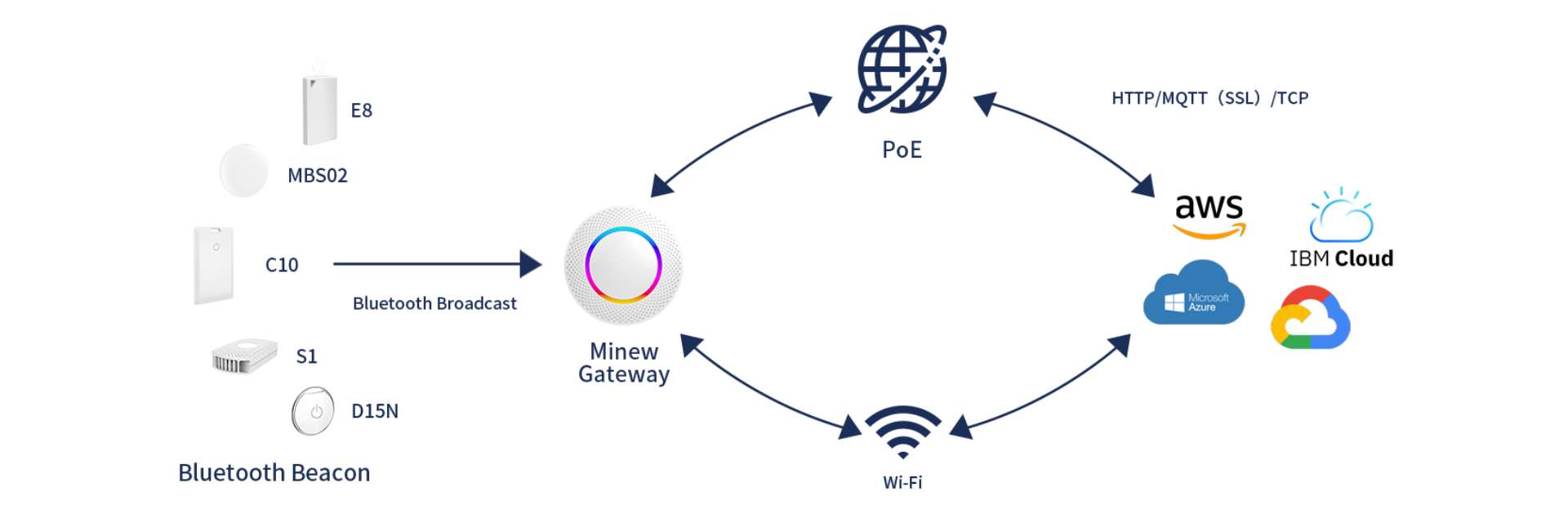
Unterstützt das G1 IoT Bluetooth Gateway die Netzwerkprotokolle HTTP/MQTT?
Das G1-Gateway unterstützt sowohl das MQTT- als auch das HTTP-Netzwerkprotokoll, sodass Sie je nach Bedarf wählen können.
Warum scheinen die über das G1 IoT Bluetooth Gateway empfangenen Daten verzögert zu sein?
Das G1-Gateway lädt die Broadcast-Daten des Beacons standardmäßig jede Sekunde hoch, was als "Verzögerung" wahrgenommen werden kann. Sie können das Upload-Intervall auf der Konfigurationsseite reduzieren.
Warum kann das G1 IoT Bluetooth Gateway nach erfolgreicher Verbindung mit dem Azure IoT Hub keine gemeldeten Daten empfangen?
Azure IoT Hub hat eine Beschränkung der D2C-Datenpaketgröße.
Bitte hier nachsehen. um zu prüfen, ob Ihr Dienst betroffen ist, und passen Sie die Paketgröße des G1-Gateways entsprechend an, um die Plattformanforderungen zu erfüllen.
Unterstützt das G1 IoT Bluetooth-Gateway die Verbindung mit dem WLAN eines LTE-Routers?
Das G1-Gateway kann sich über mobile LTE-WLAN-Verbindungen mit Hotspots verbinden, außer mit solchen, die eine Authentifizierung erfordern. Bei nicht authentifizierten WLAN-Netzwerken befolgen Sie bitte die korrekten Schritte zur Verbindung mit dem Gateway.
Unterstützt das G1 IoT Bluetooth Gateway WiFi 6 (IEEE 802.11ax)?
G1 unterstützt bis zu WiFi 4 und nicht WiFi 6. Die meisten Router sind jedoch abwärtskompatibel, sodass unser Gateway zwar mit WiFi-6-Routern verbunden werden kann, aber nicht die Geschwindigkeiten von WiFi 6 erreicht.


 Jetzt chatten